


WAPT 10: Performance testing tool for web and mobile applications
Click to Zoom-In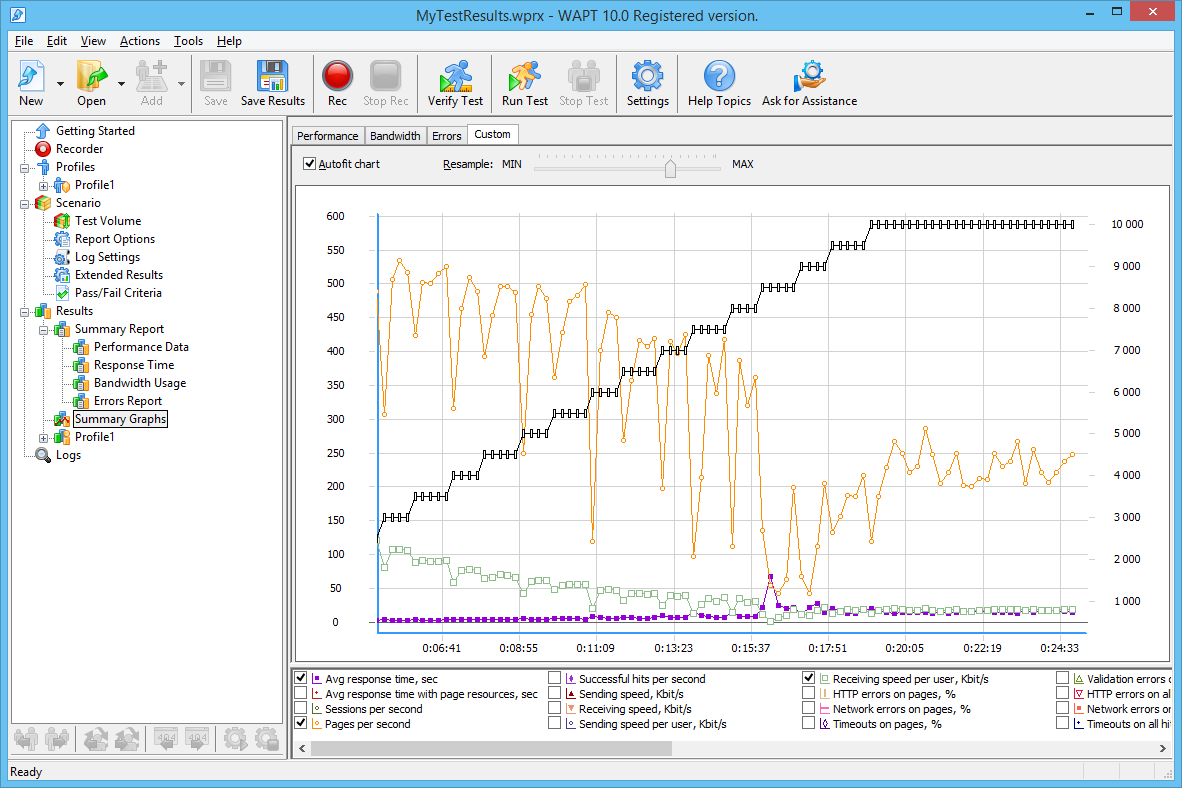
Fast test design
Instead of writing code for a test you just let WAPT record a typical user session that you perform in a browser or with a mobile application. No script programming is required to further design the test. WAPT lets you do all the work through its GUI, where the test session is represented by a sequence of HTTP requests, each with its properties that you can edit to make every replayed session unique and realistic.
Accurate simulation
Multiple types of virtual users with completely different behavior can be combined in one test. They can open web pages, fill online forms, download and upload files, click buttons and perform virtually any browser action. Cookies, HTTP headers and other standard parameters are handled automatically. Other dynamic values anywhere inside requests can be parameterized with variables to ensure session consistence. There are advanced options for the simulation of the user speed, number of connections per session and cache handling.
Efficient load generation
Virtual users are fully emulated by a fast native implementation of HTTP, SSL and WebSocket protocols. Browsers and other external resource-consuming components are not used and cannot affect the performance of the load generation.
Mobile application testing
WAPT is fully suitable for the performance testing of mobile applications. The test is initially recorded with a device running the application and replayed with the WAPT built-in engine emulating multiple mobile users.
Multi-technology solution
WAPT provides automatic handling of standard session values and a number of functions that work with application-specific data. Extension modules are available to facilitate test development for the most popular frameworks and technologies, including ASP.net, JSON, Silverlight, SharePoint, WebSockets, and more.
Web security support
HTTPS recording and playback is supported for sites using any version of SSL and TLS. Standard authentication schemes (Basic/Digest/NTLM/Kerberos) as well as most token-based authentications are handled automatically. Virtual users can also authenticate with client certificates.
Functionality validation
You can check the correct behavior of your application under load in a number of ways. A session may be invalidated by HTTP codes, network level errors, server slowdowns, timeouts, and incorrect response content.
Performance report and charts
WAPT collects exhaustive statistics on the performance of the application under load. As soon as the test is started you can browse charts plotting server response time, number of pages per second, error rate and tens of other parameters. At the end of the test the collected information is processed to form a comprehensive report with over 20 tables.
Page by page verification
There is an option to log each HTTP request of the executed sessions and browse them step by step. WAPT performs a side by side comparison of each part of the request and response with the initially recorded content highlighting all changes for you. This helps designing correct tests as well as troubleshooting performance problems taking place under load.
In one form or another the process of choosing B2B software goes through a comparison stage, which is not an easy task. To help you decide which product suits you better, we compared WAPT with some other solutions that you may have already heard of: WAPT vs JMeter, WAPT vs LoadRunner.


