


Automatic Parameterization of Dynamic Values
WAPT Pro can automatically parameterize some session-specific values during recording.
To use this feature, open the Parameterization tab of program settings and check the necessary options:
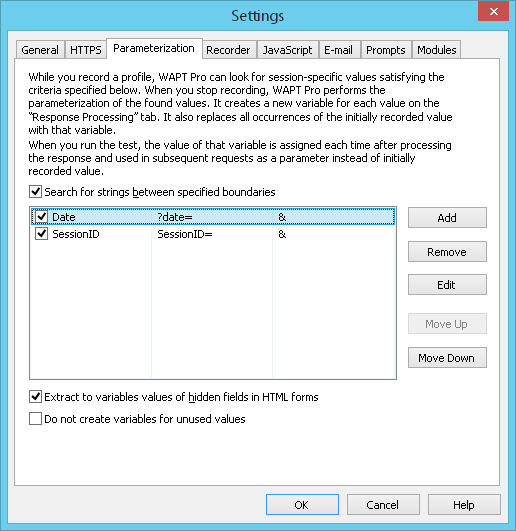
- Search for strings between specified boundaries
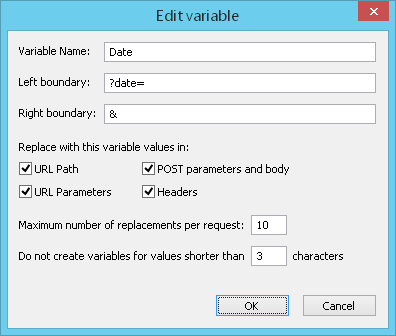
If you know that some dynamic value is always surrounded by the certain strings on the left and on the right, you can specify them and organize the search. For example, you know that the current date is always placed between the same delimiters: "?date=" on the left, and "&" on the right. To organize the search, check the option "Search for strings between specified boundaries" on the Parameterization tab of program settings and specify the boundaries.
- Extract to variables values of hidden fields in HTML forms
If you know that dynamic data on your site is kept mainly in the hidden fields of HTML code, you can check the option "Extract to variables values of hidden fields in HTML forms" in the Parameterization settings. WAPT Pro will look through all hidden fields of HTML pages during recording to find the dynamic data there.
How it works
- The usage of Search for strings between specified boundaries option
Specify the settings as shown on the screenshot above. If the HTML code of some page contains a link site.com/page.html?date=150207&ID=1111, WAPT Pro will find the dynamic value 150207 and create a variable Date1 equal to $Search(?date=,&,1).
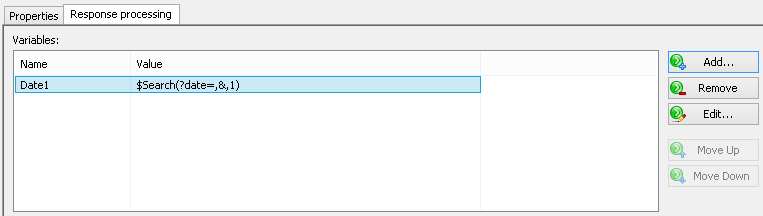
It will be used to search for date with the similar boundaries during run-time.
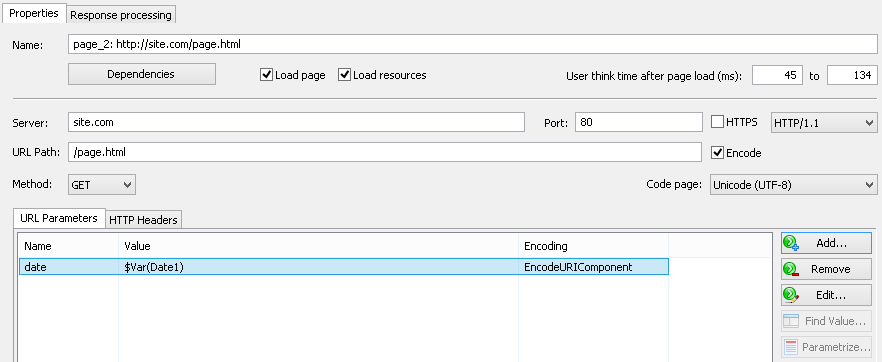
WAPT Pro will define parameters on subsequent pages using this variable:
- The usage of Extract to variables values of hidden fields in HTML forms option
If a web page has an HTML form containing the hidden parameter Date, WAPT Pro will create a variable Date1 equal to $Hidden(Date,1).
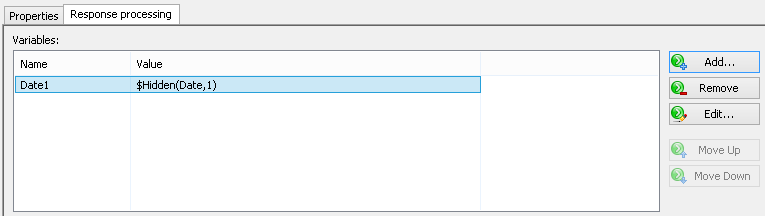
It will be used to search for the similar date in all hidden fields of HTML pages during run-time.
As in the first example, WAPT Pro will define parameters on subsequent pages using this variable.


